


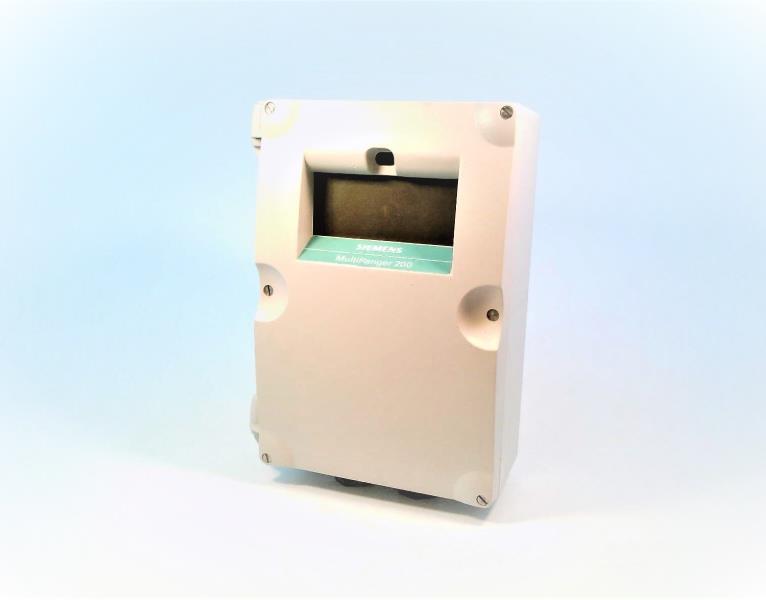

The Siemens part number 9AB4141-1BB is an input/output module designed for use with the FM 486, a function module in the SIMATIC S5 series. This module is part of the MMC-SICOMP (Multi-Module Control and Monitoring System) family. It provides a range of input and output options, including:
- 3 pulse counters
- 16 binary inputs
- 8 binary outputs
- 4 analog inputs
- 8 analog outputs
The module is designed to be mounted on a mounting material and is intended for use in industrial automation systems, particularly in the process control and manufacturing sectors.
Technical Specifications
The technical specifications of the 9AB4141-1BB module are detailed in the product catalog, including:
- Dimensions: 36.20 cm x 33.70 cm x 18.00 cm
- Net Weight: 6.264 kg
- EAN and UPC codes are not available
- Commodity Code: 84733010
- Country of origin: Germany
Alarm/Error Codes
No specific information on alarm or error codes is provided for this module. However, it is likely that any error or alarm conditions would be reported through standard communication protocols such as PROFIBUS or PROFINET, which are commonly used in industrial automation systems.
User Manuals
No user manual is available for this specific module. However, user manuals for other modules in the SIMATIC S5 series are available from Siemens, and these may provide general guidance on installation, configuration, and troubleshooting of the modules.
Troubleshooting
Troubleshooting procedures for the 9AB4141-1BB module would typically involve the following steps:
- Check the module's power supply and connections to ensure they are secure and functioning correctly.
- Verify that the module is properly configured and set up in the system.
- Check for any error or alarm messages in the system's logs or displays.
- Consult the user manual or technical support resources for specific guidance on troubleshooting the module.
Programming
The programming of the 9AB4141-1BB module would typically involve using the SIMATIC S5 programming software, which is designed to configure and program the modules in the SIMATIC S5 series. The software provides tools for setting up the module's inputs and outputs, configuring alarm and error handling, and integrating the module with other components in the system.
Installation
The installation of the 9AB4141-1BB module typically involves the following steps:
- Mount the module on a mounting material, following the manufacturer's instructions.
- Connect the module's power supply and any necessary communication cables.
- Configure the module's inputs and outputs using the SIMATIC S5 programming software.
- Verify that the module is functioning correctly and integrated with other components in the system.
Please note that the product details provided are based on the available search results and might not be comprehensive or up-to-date. For specific information or assistance with the module, it is recommended to contact Siemens directly or consult their official documentation.
Download the Data Sheet Go to product