


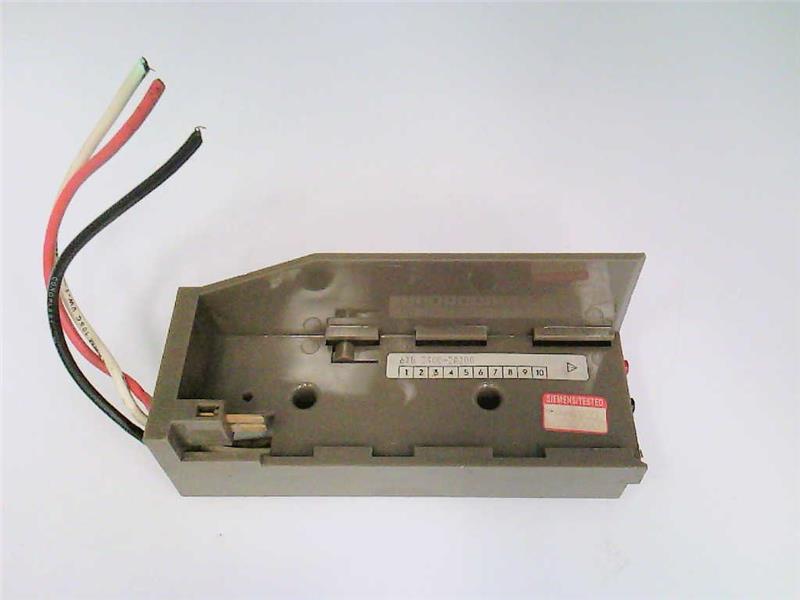

The Siemens part number 6XG3408-1AA27 is a component used in industrial automation systems, specifically designed for use in SIMATIC S7-300 and S7-400 controllers. It is a module for analog input and can be used to measure various physical parameters such as temperature, pressure, and flow rates.
Technical Specifications
- Module Type: Analog Input Module
- Number of Inputs: 8
- Input Type: Analog
- Input Range: 0-10V or 4-20mA
- Resolution: 12-bit
- Accuracy: ±0.5% of full scale
- Sampling Rate: Up to 100 kHz
- Power Consumption: 2.5W
- Dimensions: 12.5 cm x 4.5 cm x 2.5 cm (4.9 in x 1.8 in x 1 in)
Alarm/Error Codes
- Error Codes: The module can generate error codes for various faults such as overvoltage, undervoltage, and communication errors. These error codes can be used to trigger alarms or initiate corrective actions.
- Alarm Codes: The module can also generate alarm codes for specific conditions such as input overload or out-of-range values. These alarm codes can be used to alert operators to potential issues.
User Manuals
- Documentation: The user manual for the 6XG3408-1AA27 module can be found in the Siemens SIMATIC documentation library. The manual provides detailed information on the module's installation, configuration, and operation.
Troubleshooting
- Troubleshooting Guide: Siemens provides a troubleshooting guide for the 6XG3408-1AA27 module, which includes common issues and their solutions. This guide can be found in the SIMATIC documentation library.
Programming
- Programming Language: The module can be programmed using the Siemens SIMATIC STEP 7 programming software.
- Programming Functions: The module provides various programming functions such as input configuration, scaling, and filtering.
Installation
- Installation Requirements: The module requires a SIMATIC S7-300 or S7-400 controller for operation. It must be installed in a suitable rack and connected to the controller using a communication cable.
- Installation Procedure: The installation procedure for the module involves mounting it in the rack, connecting it to the controller, and configuring the input channels using the SIMATIC STEP 7 software.