


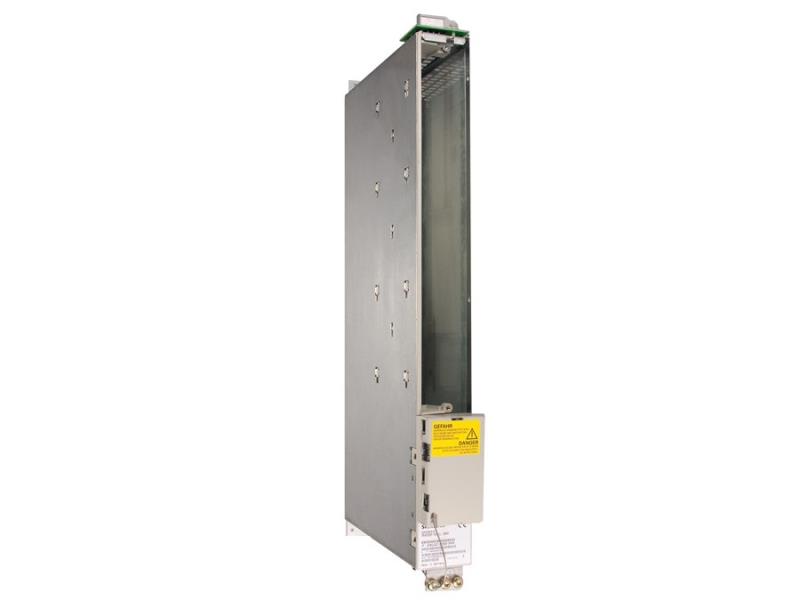

The Siemens part number 6SN2703-2AB00-0CA0 is a specific component designed for industrial automation applications. Based on the provided part number, it appears to be a Siemens S7-200 Smart PLC (Programmable Logic Controller). Here's an overview of the key aspects of this component:
Technical Specifications
The Siemens S7-200 Smart PLC is a compact and versatile controller suitable for a range of industrial automation applications. Key technical specifications include:
- CPU: S7-200 Smart PLC
- Memory: 64 KB RAM, 128 KB Flash
- Communication: Profibus, Modbus, and RS-232 interfaces
- Power Supply: 24 V DC, 1.5 A
- Dimensions: 120 mm x 72 mm x 40 mm (4.7 in x 2.8 in x 1.6 in)
- Operating Temperature: -10°C to 60°C (14°F to 140°F)
Alarm/Error Codes
The Siemens S7-200 Smart PLC is designed to provide reliable error detection and reporting. In the event of an error or alarm, the controller can output diagnostic messages and error codes. These codes are used by the user to identify the nature of the issue and initiate corrective action. The specific error codes and their meanings are detailed in the user manual.
User Manual
The user manual for the Siemens S7-200 Smart PLC provides detailed instructions on the installation, configuration, and operation of the controller. It includes information on setting up communication interfaces, configuring the CPU, and troubleshooting common issues. The manual also covers the programming of the controller using Siemens' proprietary programming software, SIMATIC STEP 7.
Troubleshooting
Troubleshooting the Siemens S7-200 Smart PLC involves identifying and resolving issues that may arise during operation. Common troubleshooting steps include:
- Checking the power supply and ensuring it is within the recommended range
- Verifying the communication connections and settings
- Monitoring the controller's status and error messages
- Using the troubleshooting guides and diagnostic tests provided in the user manual
Programming
The Siemens S7-200 Smart PLC is programmed using SIMATIC STEP 7, a commercial programming software developed by Siemens. This software allows users to create and edit programs for the controller, including the configuration of inputs, outputs, and communication interfaces. The programming process involves designing the program structure, writing the program code, and downloading the program to the controller.
Installation
The installation of the Siemens S7-200 Smart PLC typically involves the following steps:
- Mounting the controller in a suitable enclosure
- Connecting the power supply
- Configuring the communication interfaces
- Setting up the CPU and configuring the program
- Testing the controller to ensure proper operation
Overall, the Siemens S7-200 Smart PLC is a reliable and versatile controller designed for a range of industrial automation applications. Its technical specifications, alarm/error codes, user manual, troubleshooting procedures, programming capabilities, and installation requirements make it a valuable tool for industrial automation professionals.