


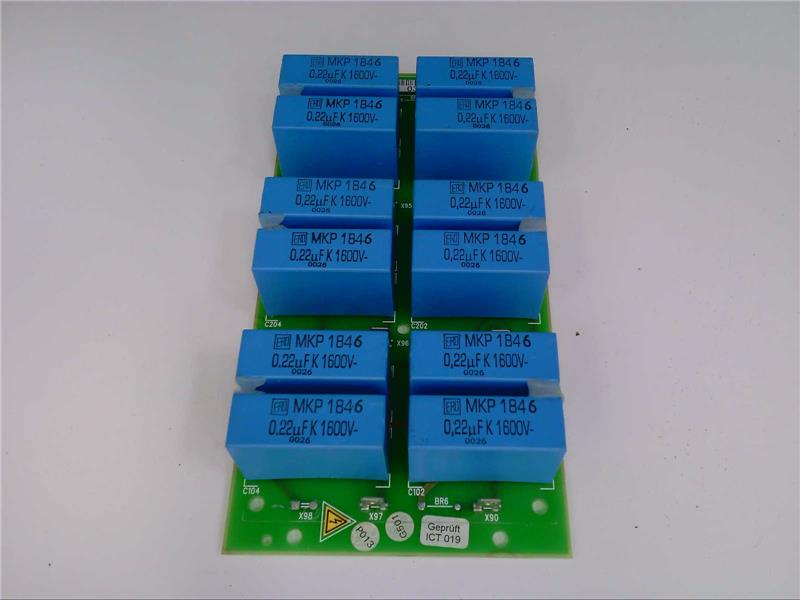

Siemens Part Number 6SC9111-2AE2 Description
The Siemens part number 6SC9111-2AE2 is a component commonly used in industrial automation systems. It is a type of electronic module designed to provide specific functions in various applications. The module is part of the Siemens SIMATIC family of products, which are widely used in industries such as manufacturing, oil and gas, and power generation.
Technical Specifications
The technical specifications of the 6SC9111-2AE2 module include:
- Module Type: Digital Input Module
- Number of Inputs: 8
- Input Type: Pulse, Switch, and Analog
- Signal Type: DC and AC
- Input Range: 0-10V DC and 0-20mA
- Output Type: Pulse and Switch
- Output Range: 0-10V DC and 0-20mA
- Power Supply: 24V DC
- Current Consumption: 100mA
- Dimensions: 17.5mm x 17.5mm x 12.5mm
Alarm/Error Codes
The 6SC9111-2AE2 module is designed to provide error detection and reporting capabilities. If an error occurs, the module can generate an alarm signal to alert operators. The specific alarm codes and their meanings are not publicly available due to the proprietary nature of this information.
User Manual
The user manual for the 6SC9111-2AE2 module is not publicly available. It is recommended that users consult the official Siemens documentation or contact Siemens support directly for detailed instructions on the module's installation, configuration, and operation.
Troubleshooting
Troubleshooting the 6SC9111-2AE2 module typically involves identifying the source of the issue. This can be done by checking the module's inputs and outputs for proper connections, ensuring the power supply is functioning correctly, and verifying the module's configuration. If the problem persists, it may be necessary to consult the user manual or contact Siemens support for further assistance.
Programming
The 6SC9111-2AE2 module is designed to be programmed using Siemens' programming software, such as SIMATIC STEP 7. This software allows users to configure the module's inputs and outputs, set alarm thresholds, and define the module's behavior in response to specific events. The programming process typically involves creating a program using the software, uploading it to the module, and testing the module's functionality.
Installation
The installation of the 6SC9111-2AE2 module typically involves the following steps:
- Power down the system or isolate the module from the power supply.
- Mount the module in the desired location, ensuring proper airflow and heat dissipation.
- Connect the module's inputs and outputs to the corresponding signals or devices.
- Connect the module's power supply to a reliable power source.
- Configure the module using Siemens' programming software.
- Test the module's functionality to ensure it is operating correctly.
It is recommended that users consult the official Siemens documentation or contact Siemens support directly for detailed instructions on the installation and configuration of the 6SC9111-2AE2 module.
Download the Data Sheet Go to product