


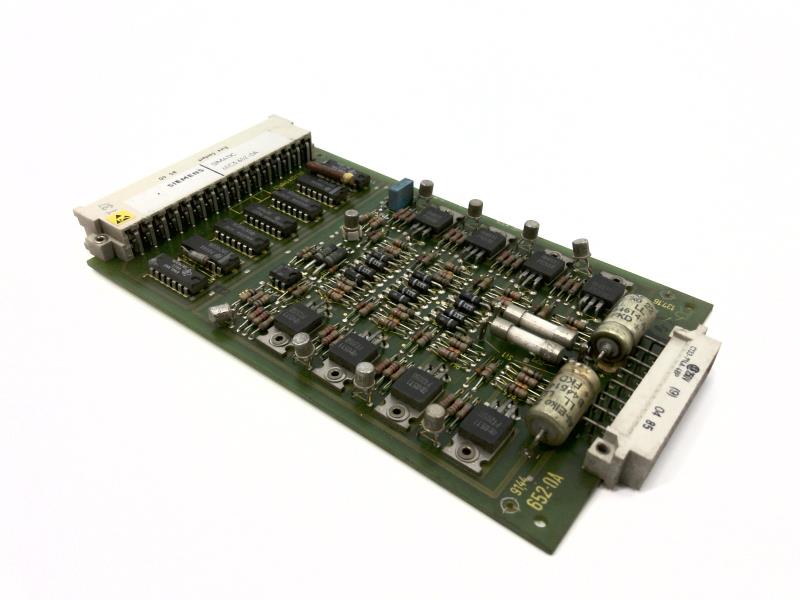

The Siemens part number 6EC3765-8A is a specific component within the Siemens SIMATIC S7-300 series of programmable logic controllers (PLCs). This PLC is designed for industrial automation and control applications, particularly in the manufacturing and process industries.
Technical Specifications
The Siemens 6EC3765-8A is a compact PLC designed for a wide range of industrial automation applications. It features a powerful CPU with a high-performance processing capability and supports various communication protocols such as PROFIBUS, PROFINET, and Ethernet/IP. The PLC also has a range of I/O modules available, which can be easily integrated into the system to expand its capabilities.
Alarm/Error Codes
The Siemens 6EC3765-8A, like other Siemens SIMATIC S7-300 series PLCs, utilizes a standard error code system. These error codes are used to indicate specific issues or errors that may occur during operation. The error codes are typically displayed on the PLC's display screen or can be accessed through the PLC's programming software. The error codes are categorized into different types, including:
- CPU errors
- I/O errors
- Communication errors
- Power supply errors
User Manuals
The user manual for the Siemens 6EC3765-8A provides detailed information on the PLC's operation, configuration, and troubleshooting. The manual covers topics such as installation, programming, and maintenance, and includes diagrams and illustrations to help users understand the PLC's functionality.
Troubleshooting
Troubleshooting the Siemens 6EC3765-8A typically involves identifying and resolving issues related to the PLC's operation, communication, or power supply. Common troubleshooting steps include:
- Checking the PLC's power supply and ensuring it is properly connected.
- Verifying the PLC's communication settings and ensuring they are configured correctly.
- Checking for any software errors or bugs in the PLC's program.
- Performing a power cycle or restarting the PLC to reset its operation.
Programming
The Siemens 6EC3765-8A is programmed using the Siemens SIMATIC STEP 7 software. This software provides a comprehensive environment for creating and editing PLC programs, as well as configuring the PLC's settings and parameters. The software supports various programming languages, including Ladder Logic, Function Block, and Structured Text.
Installation
The installation of the Siemens 6EC3765-8A typically involves the following steps:
- Ensuring the PLC is properly connected to the power supply.
- Configuring the PLC's communication settings and ensuring they are compatible with the system.
- Installing the PLC's I/O modules and connecting them to the PLC.
- Programming the PLC using the Siemens SIMATIC STEP 7 software.
- Testing the PLC's operation to ensure it is functioning correctly.
In summary, the Siemens 6EC3765-8A is a powerful and versatile PLC designed for industrial automation applications. Its technical specifications, alarm/error codes, user manuals, troubleshooting procedures, programming capabilities, and installation guidelines provide a comprehensive overview of its functionality and operation.
Download the Data Sheet Go to product