


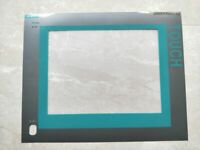
The Siemens part number 6AV7240-6DC00-0KA0 is a SIMATIC IPC 477D computing unit with a 19" touch display and four USB ports. It is no longer available according to the product details on the Siemens Industry Mall.
Technical Specifications
The technical specifications for this product are not readily available in the search results. If you need detailed technical information, you may need to contact Siemens directly or access the product's documentation, which is available for download from the Siemens Industry Mall.
Alarm/Error Codes
The search results do not provide information on alarm or error codes for this product. For troubleshooting and error handling, it is recommended to consult the user manual or contact Siemens technical support.
User Manuals
User manuals for the SIMATIC IPC 477D are available for download from the Siemens Industry Mall. These manuals provide detailed instructions on the product's operation, configuration, and troubleshooting.
Troubleshooting
Troubleshooting information for the SIMATIC IPC 477D is available in the user manual and product documentation, which can be downloaded from the Siemens Industry Mall. If you encounter issues with the product, it is recommended to consult these resources first.
Programming
Programming information for the SIMATIC IPC 477D is not readily available in the search results. For programming instructions, it is recommended to consult the user manual or contact Siemens technical support.
Installation
Installation instructions for the SIMATIC IPC 477D are available in the user manual and product documentation, which can be downloaded from the Siemens Industry Mall. These instructions provide detailed steps for setting up and configuring the product.
In summary, the Siemens part number 6AV7240-6DC00-0KA0 is a SIMATIC IPC 477D computing unit with a 19" touch display and four USB ports that is no longer available. Technical specifications, alarm codes, and programming information are not readily available in the search results, and troubleshooting and installation instructions can be found in the user manual and product documentation.
Download the Data Sheet Go to product