


| Condition | SKU | Stock | Location and Best Delivery Date | Price | Purchase |
|---|
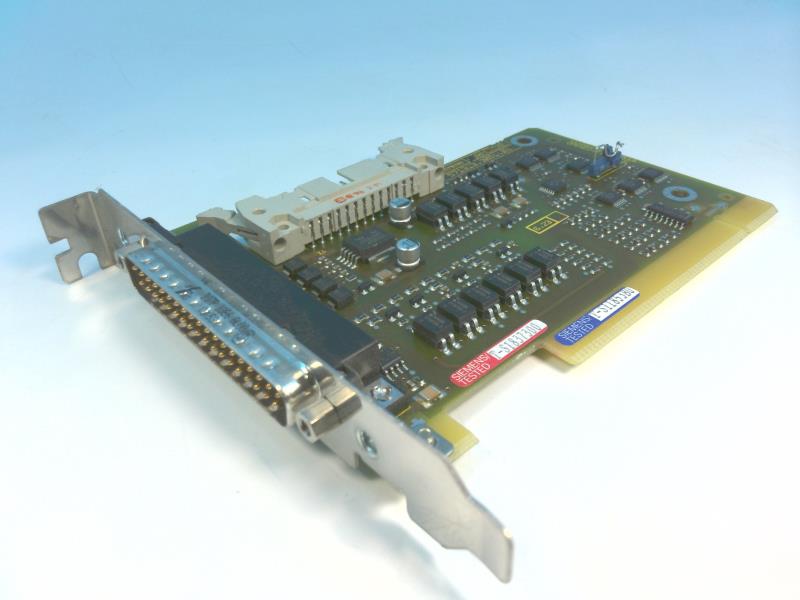
The Siemens part number 6FC5303-1AF02-1AA0 corresponds to a SINUMERIK 840D PL/840D SL PUSH BUTTON PANEL MPP483. This product is a pushbutton panel used in industrial control systems, specifically designed for SINUMERIK drives. The panel is part of the SINUMERIK family of products, known for their high-quality and reliable performance in industrial automation applications.
Technical Specifications
The technical specifications for this product are not explicitly provided in the search results. However, the product description suggests that it is designed for use with SINUMERIK drives and is part of the SINUMERIK 840D family, which is known for its advanced features and capabilities in industrial automation.
Alarm / Error Codes
There is no specific information provided on alarm or error codes for this product. It is likely that these codes would be specific to the drive or system the panel is integrated into, rather than the panel itself.
User Manuals
The search results do not provide direct links to user manuals for this specific product. However, Siemens typically provides user manuals and documentation for their products through their official website or through authorized distributors.
Troubleshooting
Troubleshooting for this product would likely involve checking the panel's connections, ensuring proper wiring, and verifying that the drive or system it is integrated into is functioning correctly. If issues persist, it may be necessary to consult the user manual or contact Siemens support.
Programming
The programming of this product is not explicitly detailed in the search results. However, the panel is designed to work with SINUMERIK drives, which are known for their advanced programming capabilities. Programming would likely involve configuring the panel to interact with the drive and other components in the system.
Installation
The installation of this product would typically involve connecting the panel to the drive and other components in the system, ensuring proper wiring, and configuring the panel's settings according to the system's requirements. This process would likely require technical expertise and may involve consulting the user manual or seeking assistance from a qualified technician or Siemens support.
Download the Data Sheet Go to product