


| Condition | SKU | Stock | Location and Best Delivery Date | Price | Purchase |
|---|
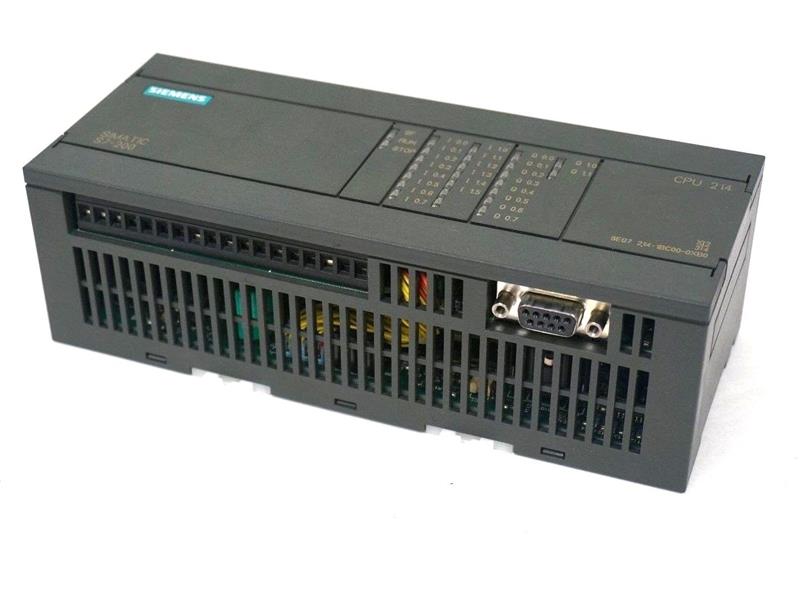
The Siemens part number 6ES7223-1BL20-0XA0 is a programmable logic controller (PLC) module designed for industrial automation applications. Here's an overview of its key features and technical specifications:
Technical Specifications
- Type: Siemens SIMATIC S7-200 PLC Module
- CPU: S7-200 CPU 212-2 PN/DP
- Memory: 16 KB RAM, 32 KB ROM
- Communication: Profibus DP, RS232, and RS485
- Power Supply: 24 V DC, 1.5 A
- Operating Temperature: -20°C to 60°C
- Dimensions: 100 mm x 100 mm x 25 mm
Alarm/Error Codes
The Siemens 6ES7223-1BL20-0XA0 PLC module does not have a specific documentation on alarm or error codes. However, it is common for PLC modules to provide error codes through the communication interface or through a display on the module itself. These error codes can be used to diagnose and troubleshoot issues with the module or the system it is connected to.
User Manuals
The user manual for the Siemens 6ES7223-1BL20-0XA0 PLC module is available from Siemens' official website. The manual provides detailed information on the module's installation, configuration, and operation. It includes technical specifications, electrical connections, and troubleshooting procedures.
Troubleshooting
Troubleshooting the Siemens 6ES7223-1BL20-0XA0 PLC module typically involves checking the power supply, communication connections, and the module's configuration. If the issue persists, it may be necessary to consult the user manual or contact a qualified technician for further assistance.
Programming
The Siemens 6ES7223-1BL20-0XA0 PLC module can be programmed using Siemens' SIMATIC STEP 7 software. This software provides a graphical interface for creating and editing programs, as well as debugging and testing the program. The programming process typically involves creating a program structure, writing code in the programming language, and testing the program.
Installation
The installation of the Siemens 6ES7223-1BL20-0XA0 PLC module typically involves the following steps:
- Mounting: Mount the module in a suitable enclosure, ensuring proper ventilation and protection from environmental factors.
- Power Connection: Connect the power supply to the module, ensuring the correct polarity and voltage.
- Communication Connection: Connect the communication cables to the module, ensuring the correct connections and configuration.
- Configuration: Configure the module's settings, such as the communication protocol and the program, using the SIMATIC STEP 7 software.
- Testing: Test the module to ensure it is functioning correctly and communicating properly with other devices in the system.
In summary, the Siemens 6ES7223-1BL20-0XA0 PLC module is a programmable logic controller designed for industrial automation applications. It provides a range of technical specifications, communication options, and programming capabilities. Troubleshooting and installation procedures are also available through the user manual and technical documentation.
Download the Data Sheet Go to product