


| Condition | SKU | Stock | Location and Best Delivery Date | Price | Purchase |
|---|
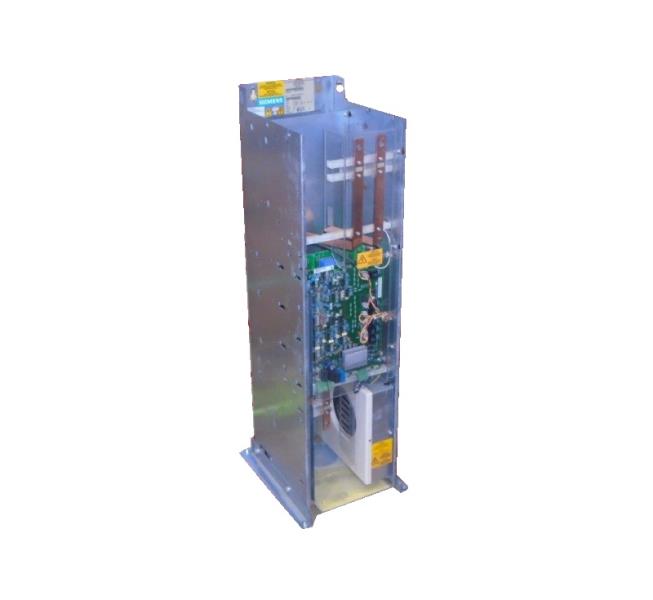
Siemens Part Number 6SE7032-1EG50 is a specific component within the Siemens SIMATIC S7-200 series of programmable logic controllers (PLCs). This part number refers to a particular configuration of the S7-200 controller, which is designed for industrial automation applications.
Technical Specifications:
- Processor: The 6SE7032-1EG50 is equipped with a 24 MHz processor, providing fast processing and efficient handling of complex tasks.
- Memory: This controller features 64 KB of RAM and 128 KB of ROM, offering ample storage for programs and data.
- Communication: It supports various communication protocols such as PROFIBUS, PROFINET, and RS-232, allowing seamless integration with other devices and systems.
- Power Supply: The controller operates on a DC power supply of 24 V, with a maximum power consumption of 2.5 W.
Alarm/Error Codes:
- Error Codes: The 6SE7032-1EG50 controller can detect and report various errors, including CPU errors, memory errors, and communication errors. These errors are typically indicated through LED indicators on the controller's front panel or through a connected HMI (Human-Machine Interface) device.
- Alarm Codes: The controller can also generate alarm signals in response to specific conditions, such as power supply failures or communication link interruptions. These alarms can be configured and customized through the controller's programming software.
User Manuals:
- Operating Manual: The user manual for the 6SE7032-1EG50 provides detailed instructions for setting up, configuring, and operating the controller. It covers topics such as programming, communication settings, and troubleshooting.
- Programming Manual: The programming manual for the 6SE7032-1EG50 explains the syntax and structure of the programming language used for programming the controller. It also includes examples and tutorials to help users get started.
Troubleshooting:
- Common Issues: Common issues with the 6SE7032-1EG50 include communication link failures, power supply problems, and programming errors.
- Troubleshooting Steps: To troubleshoot these issues, users can refer to the user manual and troubleshooting guides provided by Siemens. These resources outline specific steps to diagnose and resolve common problems.
Programming:
- Programming Language: The 6SE7032-1EG50 uses the Siemens-specific programming language, known as Ladder Logic (LL). This language is used to write programs that control the controller's behavior and interactions with other devices.
- Programming Software: The programming software for the 6SE7032-1EG50 is SIMATIC STEP 7, which is a comprehensive software package for programming and configuring Siemens PLCs.
Installation:
- Hardware Installation: The 6SE7032-1EG50 is designed to be installed in a standard 35 mm DIN rail mounting position. It requires a DC power supply and a communication link (such as a PROFIBUS cable) to operate.
- Software Installation: The SIMATIC STEP 7 software is typically installed on a PC or laptop and used to program and configure the controller. The software is available for download from Siemens' website.