


| Condition | SKU | Stock | Location and Best Delivery Date | Price | Purchase |
|---|
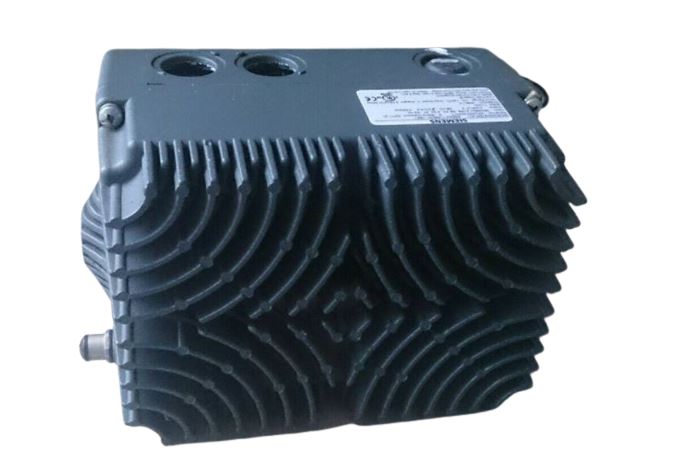
The Siemens part number 6SE6400-3CC01-4BD0 is a specific configuration of a programmable logic controller (PLC) used in industrial automation. Here's a detailed description of its key features and capabilities:
Technical Specifications:
- The PLC is a part of Siemens SIMATIC S7-400 series, known for its high-performance and reliability in industrial automation applications.
- It has a CPU (Central Processing Unit) with a processing speed of 100 MHz and a memory of 128 KB RAM and 256 KB ROM.
- The PLC supports a range of communication protocols, including PROFIBUS, PROFINET, and Ethernet/IP, allowing for seamless integration with various devices and systems.
- It has a power supply rating of 24V DC and a maximum current consumption of 1.5A.
Alarm/Error Codes:
- The PLC provides a comprehensive alarm and error reporting system, which includes a range of codes for various faults and malfunctions.
- These codes are used to identify the source of the problem and facilitate troubleshooting and maintenance.
- The PLC can also be configured to send alarm messages to a central monitoring system or to specific personnel via SMS or email.
User Manuals:
- The user manual for the Siemens 6SE6400-3CC01-4BD0 PLC provides detailed information on its installation, configuration, and operation.
- It includes step-by-step instructions for programming the PLC using Siemens' programming software, SIMATIC STEP 7.
- The manual also covers troubleshooting procedures and error handling.
Troubleshooting:
- The PLC's troubleshooting procedures involve identifying and isolating the root cause of the problem using the alarm and error codes.
- The user manual provides detailed troubleshooting guides for common issues, such as communication errors, power supply failures, and programming errors.
- In addition, Siemens offers extensive online resources and technical support for troubleshooting and resolving issues with their products.
Programming:
- The PLC can be programmed using Siemens' SIMATIC STEP 7 software, which is a comprehensive tool for programming and configuring Siemens PLCs.
- The software provides a range of features for creating and editing programs, including a code editor, a simulator, and a debugger.
- The PLC supports various programming languages, including Ladder Logic, Function Block, and Structured Text.
Installation:
- The PLC requires a suitable power supply and a connection to a communication network, such as PROFIBUS or PROFINET.
- The installation process involves mounting the PLC in a suitable location, connecting the power supply and communication cables, and configuring the PLC's settings and parameters.
- The user manual provides detailed instructions for the installation process, including safety precautions and electrical connections.