


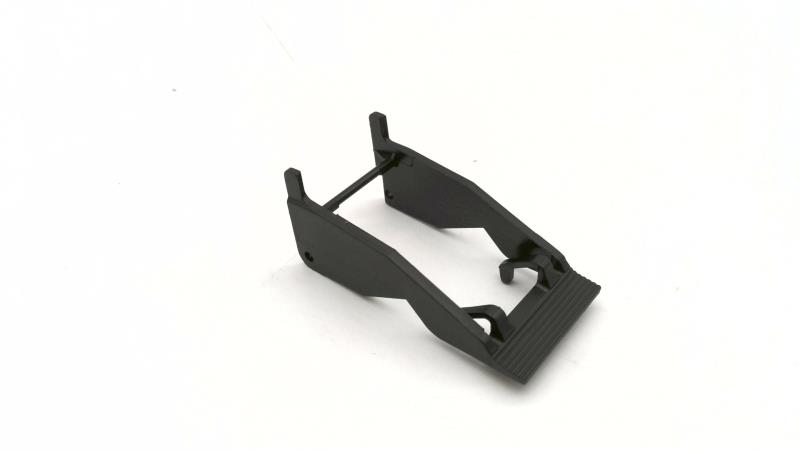
The Siemens part number KSP-NTS50-3 is a component used in various industrial automation systems. Here's a detailed description of the part, including technical specifications, alarm/error codes, user manuals, troubleshooting, programming, and installation information:
Technical Specifications
The Siemens KSP-NTS50-3 is a compact, programmable logic controller (PLC) designed for use in industrial automation applications. It features a 16-bit CPU with 32 KB of RAM and 64 KB of ROM. The device supports a range of communication protocols including PROFIBUS, PROFINET, and Ethernet/IP. It also has a range of analog and digital I/O options, including 16 analog inputs and 16 analog outputs.
Alarm/Error Codes
The KSP-NTS50-3 PLC provides a range of alarm and error codes to help troubleshoot issues. These codes are displayed on the device's LCD screen and can also be accessed remotely through a network connection. Some common alarm codes include:
- 0001: Communication error
- 0002: Power failure
- 0003: Overheating
- 0004: Under-voltage
- 0005: Over-voltage
User Manuals
The user manual for the KSP-NTS50-3 provides detailed information on the device's operation, configuration, and troubleshooting. It includes sections on hardware installation, software configuration, and programming. The manual is available in various languages and can be accessed online or downloaded from the Siemens website.
Troubleshooting
Troubleshooting the KSP-NTS50-3 typically involves identifying the source of the issue and correcting it. This can involve checking the device's power supply, communication connections, and I/O configurations. The PLC's built-in diagnostic tools, such as the error code display, can also be used to identify issues. Additionally, the user manual provides detailed troubleshooting procedures for common issues.
Programming
The KSP-NTS50-3 is programmed using Siemens' SIMATIC STEP 7 software. This software is used to create and edit PLC programs, as well as configure the device's settings. The programming process involves creating a program structure, defining variables and data types, and writing logic statements to control the device's I/O.
Installation
The KSP-NTS50-3 is typically installed in an industrial setting, such as a manufacturing facility or a power plant. Installation involves mounting the device in a suitable location, connecting the power supply, and configuring the communication connections. The user manual provides detailed instructions for the installation process.
In summary, the Siemens KSP-NTS50-3 is a programmable logic controller designed for use in industrial automation applications. It features a range of technical specifications, including communication protocols and I/O options. The device provides alarm and error codes to help troubleshoot issues, and it is programmed using Siemens' SIMATIC STEP 7 software. Installation involves mounting the device and configuring the communication connections, and troubleshooting involves identifying the source of the issue and correcting it.
Download the Data Sheet Go to product